
A galaxy's integrated magnitude describes its combined light, while the feature you want to photograph occupies a particular part of it. A favorable total value alone cannot establish how well that feature will appear with your camera, filter, background, and available time.
Use the checks below to choose a realistic imaging goal. First make sure the source describes the same object or component; keep framing and the useful target window as separate decisions.
Separate total light from light per area
The GNU Astronomy Utilities definitions distinguish an object's total spectral flux density from surface brightness: flux per angular area, expressed on a magnitude scale. Surface brightness is commonly written in mag/arcsec². Keep total magnitude and an area-based measurement as different quantities. Dividing a magnitude number by an area is not the correct conversion.
A hypothetical comparison
Imagine two uniform patches with equal total flux in the same band. One covers a larger angular area. That patch has less flux per unit area, despite the equal total. This illustrates the definition only; it predicts neither an exposure time nor how a real galaxy's nonuniform structure will photograph.
Read the catalog definition
Save the quoted value with its band, measurement region, units, corrections, and reference. If the context is missing, mark it unknown rather than filling it from a different entry.
A concrete example is the CDS documentation for the Third Reference Catalogue of Bright Galaxies, RC3. It distinguishes BT, a total B-system magnitude, from m′25, a mean B-band surface brightness inside the D25 ellipse, in mag/arcmin². That enclosed mean is different from the surface-brightness level defining the ellipse's boundary.
The practical lesson is to compare the same kind of measurement. Keep mag/arcmin² and mag/arcsec² distinct, and check whether an average refers to the same region. Do not manufacture an exact catalog mean from a total magnitude and a remembered diameter; RC3's definition also accounts for light beyond the boundary.
Choose the feature you intend to record
Write a specific goal: a central region, the disk, outer structure, or a wider composition. A reference photograph can help describe the goal, but retain its capture information and avoid treating its appearance as a result your setup has already demonstrated.
CFHT's photometry treatment models galaxies using a spatial intensity profile alongside total magnitude. Its signal-to-noise treatment also includes enclosed light, background, and detector noise. For planning, this means that a total or a regional average should not be treated as a description of every feature.
Choose what you want to assess before calling a target suitable. If the available evidence only describes the whole object, keep the desired outer detail unresolved. You can investigate further, narrow the goal, or choose a better-understood alternative.
Keep the setup and background in the decision
The STScI STIS handbook separates point-source and uniform extended-source calculations and ties sensitivity to wavelength and filter mode. Check the actual camera, optic, filter, capture mode, and intended framing. A catalog-band value and an unlabeled image cannot supply all those inputs.
The STScI ACS handbook also requires sky and detector backgrounds in exposure and signal-to-noise calculations. These professional instrument examples establish dependencies; their performance numbers are not exposure settings for your camera.
Match the intended session to Moon conditions and the atmospheric conditions your subject needs. Check the actual camera field separately. Use equipment-specific guidance when estimating a capture plan.
At the site, make the planned checks with actual files and record what they show. An inconclusive short test does not establish that the desired outskirts are absent or that a longer run will succeed. Keep the result bounded by what you could assess.
Choose an action from the evidence
| What you have | Next useful action |
|---|---|
| A bare magnitude number | Find its band and measurement definition before using it to compare targets. |
| A total value, but an outer-detail goal | Look for evidence about that feature; retain the difference between the whole object and the intended detail. |
| Surface-brightness values with different units or regions | Resolve the definitions before comparing the numbers. |
| Similar totals, different extent or profile | Assess the desired feature and actual capture setup rather than ranking by total alone. |
| Incomplete evidence or an inconclusive test | Keep the uncertainty, investigate, narrow the goal, or select a better-understood alternative. |
Copy the target-choice worksheet
Keep one record for each target and photographic goal. Leave unavailable context marked unknown.
| Field | What to keep |
|---|---|
| Subject and goal | Confirmed target, intended feature, and the scene you want to include. |
| Magnitude evidence | Value, band/system, total or aperture definition, corrections, reference, and uncertainty. |
| Area context | Angular extent and definition; surface-brightness value, exact units, measured region, and source. |
| Capture plan | Actual camera/optic/filter/mode, framing, available window, and relevant conditions. |
| Check and decision | File references, what was assessed, unresolved items, and the next action. |
Finish with a concrete choice: “This is the detail I want; this evidence supports the attempt, these inputs remain uncertain, and this is what I will check before committing the main run.”
Put the chosen goal into a night plan
Inspect the catalog details available in DarkScout, and retain the source definitions beside your plan. The app currently labels optional surface brightness in mag/arcmin²; its magnitude number does not supply the band or measurement region. Verify missing context externally before making a numerical comparison.
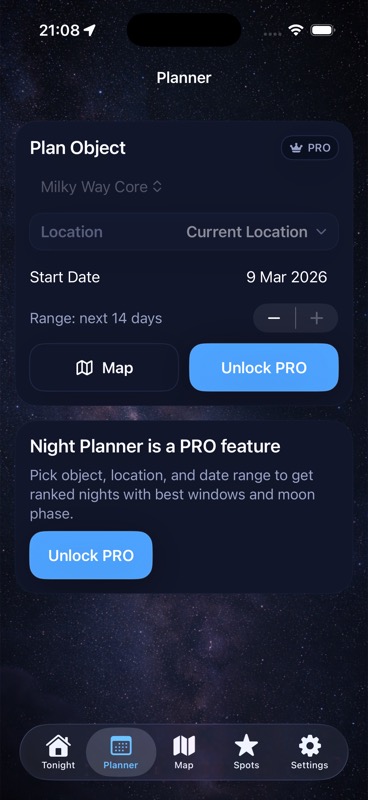
Then compare target timing, Moon and cloud conditions, and saved observing spots. A planning score is not a prediction of your camera's faint-structure detection or required exposure. The Planner image above illustrates night planning, not a simulated galaxy capture.
The current App Store listing describes the free app, which requires iOS 26 or later.
Give the chosen target a useful window.
Bring your photographic goal into a plan with target timing, Moon, clouds, and a saved observing location.
Get DarkScout for iPhone All features free · iOS 26 or laterSources and further reading
- GNU Astronomy Utilities: Brightness, flux, magnitude and surface brightness — total and area-based quantities.
- CDS: RC3 catalog documentation — measurement definitions and regions.
- CFHT: Signal-to-noise for aperture photometry — galaxy profiles and capture inputs.
- STScI: STIS handbook §14.2 — sensitivity, filters, and source models.
- STScI: ACS handbook §9.4 — sky and detector backgrounds.