
Before combining information from two target lists, check an explicit cross-identification and the intended object or component. Treat a similar name or nearby position as a reason to investigate, rather than permission to substitute one entry for another.
This workflow helps you keep one clear target through the planning process. Once its identity is settled, use the camera field-of-view guide for composition and the deep-sky target-window guide for timing.
Keep both complete labels
Copy each label with its source URL before shortening it. The SIMBAD identifier guide describes a catalog acronym followed by an identifier; it also distinguishes uppercase component suffixes from lowercase exoplanet suffixes. Preserve signs, spaces, and suffixes while checking the accepted syntax. This does not mean that every catalog input is case-sensitive.
If a name is not found, check the original spelling and catalog syntax. SIMBAD's guide suggests investigating an unknown identifier through the nomenclature dictionary, coordinates, or its originating paper. An unsuccessful search is an unresolved lookup, not a reason to silently choose the closest-looking name.
Check the returned record
SIMBAD, operated by CDS in Strasbourg, compiles published information and cross-identifications. CDS describes its matching as using compatible parameters and sufficiently good astrometry. The underlying literature is heterogeneous: instruments, wavelengths, resolutions, and naming practices differ.
Open the record for each label and inspect its explicit identifier list. Keep the returned entry URL and the date checked. For this planning workflow, use an explicit identification as your evidence; a thumbnail that resembles another image is not the same check. Keep unresolved differences visible instead of combining details from separate records.
Verified example: M31 and NGC 224
Checked on October 27, 2026, the SIMBAD M31 record lists M 31, NGC 224, and NAME Andromeda Galaxy together under identifiers. That is a concrete cross-identification to retain with a plan. It does not establish how another app labels the entry or which parts of the surrounding scene your photograph will include.
Separate aliases from components and relationships
The SIMBAD contents guide explains that a resolved double can have separate records for A, B, and the combined AB system. Before transferring a size, position, or other detail, check whether it belongs to your intended component or the whole system. These records are not interchangeable simply because their labels share a root.
A related object is another distinction. SIMBAD's hierarchy documentation describes links between objects, including links that record nonmembership; the hierarchy is incomplete. A parent, child, or membership link is therefore not an alias list. Read the relationship and its reference before treating a linked entry as your target.
Keep coordinate context attached
If two positions appear different, retain their labels before judging the numbers. The SIMBAD coordinate-query form distinguishes units, coordinate system, epoch, equinox, and search radius. Record the applicable context from each source; use documented output or a suitable transformation tool if you need comparable coordinates. Do not guess missing settings.
The contents guide also describes positional references, uncertainties, and quality information. Keep those with the values when available. In this workflow, a list of nearby search results remains a list of candidates: open and investigate the relevant records rather than declaring the nearest one a match.
Choose an action when entries disagree
| What you find | Next useful action |
|---|---|
| Both labels appear in one identifier list | Keep that record as the identification evidence, then check the intended subject and component. |
| Separate component and system records | Choose the entry that describes your intended subject. Keep its details separate. |
| Only a hierarchy link connects the records | Read the relationship and reference. Do not treat the link as an alias. |
| Positions differ or lack context | Check units and reference settings before comparing them; retain any unresolved difference. |
| A name fails or returns nearby candidates | Recheck syntax and the original source. Keep the lookup unresolved until evidence supports a selection. |
Copy the target-identity worksheet
Use one record per intended subject. Leave unknown fields marked unknown.
| Field | What to keep |
|---|---|
| Intended subject | The object or component you want, and the detail or surrounding scene you intend to include. |
| Source labels | Both complete identifiers, their source URLs, and the date checked. |
| Identification | Returned record URL, explicit accepted identifiers, and component or system distinction. |
| Position context | Values, units, system, epoch/equinox where applicable, reference and uncertainty; keep missing fields explicit. |
| Planning choice | Selected planner entry, evidence used, unresolved differences, and next action. |
Finish with a usable statement: “I intend this subject, identified by this record; I selected this planning entry, and these details remain uncertain.” If the uncertainty prevents a reliable choice, resolve it or use an independently identified alternative before building the session around it.
Carry the confirmed target into your plan
After checking identity independently, look for the corresponding supported target in DarkScout and inspect the available catalog details. Its search uses stored names, catalog codes, and optional aliases. A search match is not authoritative cross-catalog validation or automatic component disambiguation, and not every source alias is necessarily present.
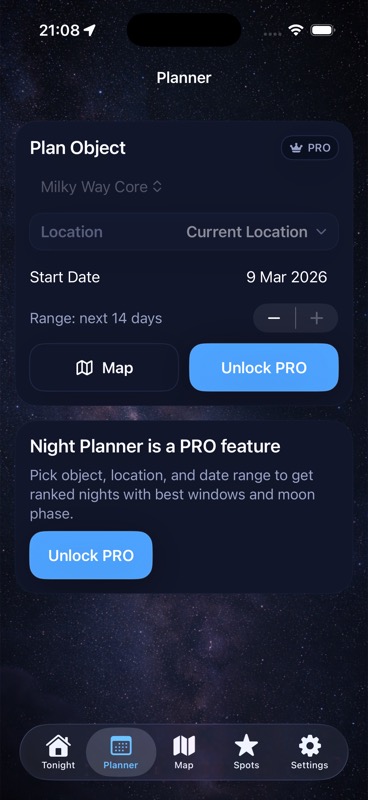
Use the app for the next planning decision: target timing, Moon and cloud conditions, and saved observing locations. The Planner image above is an example of that planning context, not a catalog-resolution result. The current App Store listing describes the free app, requiring iOS 26 or later.
Give the right target a useful window.
Bring the confirmed target into a night plan with Moon, clouds, and a saved observing spot.
Get DarkScout for iPhone All features free · iOS 26 or laterSources and further reading
- CDS: SIMBAD overview — compilation and cross-identification scope.
- SIMBAD: Query from identifiers — syntax and unknown names.
- SIMBAD: Contents — components and positional metadata.
- SIMBAD: Hierarchical links — relationships and limitations.
- SIMBAD: Coordinate query — reference settings.
- SIMBAD: M31 record — the checked identifier example.