
Put flat frames on the plan before teardown. Identify the light-frame group they belong to, prepare the capture method, and check the saved files while the setup is still documented. If you intend to use existing flats, establish that match before relying on them. Leave uncertain matches marked as uncertain.
Identify what the flats belong to
Siril's calibration documentation describes flats as correcting uneven illumination, dust patterns, and differences in photosite response. It calls for exposures of a homogeneous, unsaturated area. The recorded flat can contain the patterns being measured. Homogeneous illumination does not require identical pixel values; visible vignetting or dust alone is not proof of failure.
Give each light group a reference you can find later. Keep its capture configuration with the files instead of relying on the target name alone.
Use the dark-frame planning guide for that separate calibration task. Decide how all required files fit your chosen processing workflow before assuming the session is complete.
Preserve the configuration evidence before changing it
DeepSkyStacker's FAQ specifically advises taking flats before removing the camera from the telescope, including before changing focus. Follow the applicable capture guidance for your setup; this does not define a universal focus tolerance for every optical system.
Place a pause in your packing routine: check the flat task before disconnecting or rearranging the imaging equipment. Keep changes in the record as they occur.
Siril's multiple-session guidance explains that when the camera has moved between nights, each session has corresponding flats. It recommends calibrating sessions independently with their matching masters before combining the calibrated images. Retain the group links rather than treating a shared target name as permission to mix files.
Prepare the flat-capture method before the last light frame
N.I.N.A.'s Flat Wizard documentation distinguishes panel-based modes from sky flats, whose exposure time changes with the sky brightness. It also provides per-filter settings in Multi Mode. Choose the method and settings that apply to your equipment instead of borrowing one exposure recipe for every setup.
Before the outing, confirm that you can supply what the method needs at the intended time. Put preparation, capture, review, and packing on the same schedule.
Use the short-session time budget to work backward from departure. Include the remaining camera tasks in that budget; the last subject exposure is not automatically the time at which packing can begin.
Inspect saved files before marking the task complete
N.I.N.A. notes that its Flat Wizard preview stops updating once the exposure has been determined. Review saved data from the capture rather than treating that preview alone as evidence that the whole set is satisfactory.
Siril warns about acquisition and format differences that produce incompatible image dimensions, and about overexposed flats. Confirm that files open as expected and inspect their actual statistics or histogram using the processing tool. Use its documentation for the relevant exposure checks.
Distinguish files captured, files checked, and a master later created and validated. Those are different completion states. If you have not checked a set, record the pending work rather than labeling it ready.
Hypothetical workflow: light groups A and B use two documented configurations. Your processing plan calls for flats A and B. Before teardown, link each group to its flat files and review status. If B has no files or remains unchecked, mark B unfinished; completing A does not complete both groups.
A checklist before teardown
- Locate the light group. Confirm its file references and recorded configuration.
- Review the match. Resolve any setup changes or uncertainty before selecting the flat set.
- Complete the chosen capture. Follow the actual camera and software procedure.
- Check saved output. Retain sample identifiers, inspection findings, and any unresolved issue.
- Record the association. Link the flats to their light group and the processing workflow.
- Review completion. Mark what is finished and what remains before packing.
Choose the next action from the evidence
| What you have | Next useful action |
|---|---|
| A documented matching set already exists | Record its reference and the evidence supporting its use. |
| The current configuration is documented and capture is ready | Complete and review the planned flat task before teardown. |
| The setup changed before flats were completed | Keep the match unresolved and review the applicable workflow. |
| Saved files show a capture or compatibility problem | Resolve the issue and repeat the relevant check before accepting the set. |
| The remaining tasks exceed the departure deadline | Revise the session scope and record unfinished work explicitly. |
Copy the flat-frame session record
- Light group: file references, subject, and session date.
- Configuration: camera, optics, orientation, aperture where applicable, focus reference, filter where applicable, and recorded changes.
- Procedure: illumination method, capture software/settings, and instructions followed.
- Flat files: location, identifiers, and association with the light group.
- Review: sample files checked, findings, and unresolved questions.
- Completion: capture status, processing still required, and next action.
Keep this record with the original data. Use the group associations and the chosen workflow's requirements when processing later; retain the capture and review status separately.
Plan the sky window separately with DarkScout
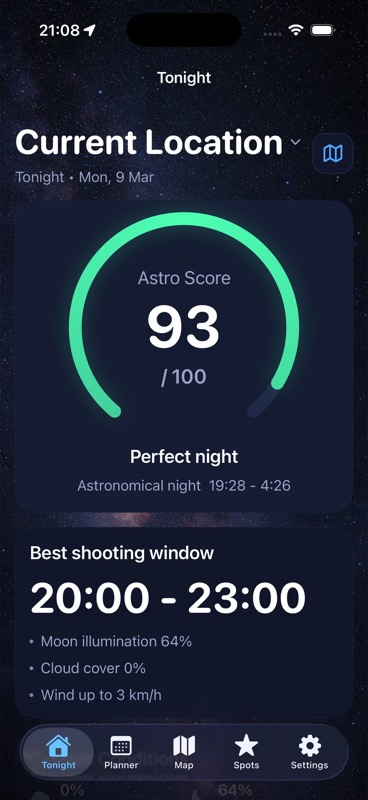
Use DarkScout's available target-window, Moon, cloud, and observing-spot context to decide when the subject work fits. Keep flat capture and processing in your camera workflow. The Tonight image above illustrates sky planning.
The current App Store listing offers the free iPhone app, requiring iOS 26 or later.
Find the sky window, then budget the camera work.
Compare the target, Moon, clouds, and observing spot before building the complete session plan.
Get DarkScout for iPhone All features free · iOS 26 or laterSources and further reading
Primary software documentation and public app information checked November 9, 2026. No camera test or calibration result is claimed.