
Check whether you already have a suitable dark-frame master before allocating new capture time. Otherwise, reserve a block that can meet your camera and processing workflow's requirements. A convenient time slot still needs compatible files.
This guide concerns camera calibration planning. Use the short-session time budget for travel and packing, and the target-window guide for the useful sky interval.
Choose the calibration route first
DeepSkyStacker's FAQ distinguishes subject light frames from dark, bias, and flat calibration frames. It describes taking darks with light excluded and matching the lights' exposure, temperature, and ISO. A different calibration-frame type does not automatically fill a missing dark-frame requirement.
Write down the route you intend to use: an existing master, a new separate capture block, or the camera's own supported processing. Check that route against the actual software and camera instructions before deciding where its time belongs.
Check the matching requirements
Siril's calibration documentation specifies the lights' exposure time and ISO or gain, with approximately the same temperature, for dark capture. It also supports master-dark libraries. Calibration addresses unwanted signal; it should not be described as subtracting away random noise.
Keep a settings record with each light group. If you change the capture configuration, review the corresponding calibration choice rather than silently treating the whole night as one group.
ZWO's amp-glow guidance adds an important camera-specific check: its glow-calibration discussion calls for matching exposure, temperature, gain, and offset, and warns that dark scaling can produce a mismatched glow pattern. Consult your camera and processing instructions rather than applying a universal scaling switch.
Read the library evidence
Siril's path-parsing examples organize masters using exposure, gain, offset, temperature, and binning. Their FITS example separately labels the instrument, temperature setpoint, and recorded sensor temperature. A filename is useful for finding a candidate; retain the underlying metadata before accepting it.
A cooler setpoint and a sensor-temperature entry are different fields. Mark unavailable sensor information as unknown rather than filling it with the weather forecast's air temperature. This comparison record does not establish a temperature tolerance or a library's lifetime.
Budget the complete camera cycle
Run a short rehearsal of the intended capture procedure before relying on its duration. Include preparation, exposure, between-frame waits, writing, checks, and the return to the imaging setup. Keep the estimate separate from the time you later observe.
For example, the Nikon Z6III manual says its long-exposure noise reduction runs after the photo, prevents another picture until processing clears, and roughly doubles recording time. That is this model's behavior. It does not document a separate exported dark library or establish the cadence of another camera.
Work backward from the real stop or departure deadline. Reserve packing and contingency time, then place the calibration block and the light-frame window on the same timeline. If both do not fit, revise the goal before leaving rather than hiding an unfinished task in the plan.
Choose a workable capture block
DeepSkyStacker describes capturing darks during or at the end of a session when temperature matching matters. Moving them to a separate occasion therefore needs matching evidence, not just spare calendar time.
| Situation | Planning action |
|---|---|
| An existing master is documented as suitable | Record its identifier and the workflow that supports using it. |
| A separate capture block can reproduce the required conditions | Schedule it and retain the matching records. |
| Temperature or configuration evidence is missing | Resolve the gap before relying on the proposed match. |
| In-camera processing occupies the next shooting slot | Include the documented wait in the camera timeline. |
| The complete plan exceeds the deadline | Reduce the session scope or choose another window. |
Copy the calibration-session record
- Light group: file reference and capture configuration.
- Required match: documented fields, actual values, and unresolved information.
- Chosen route: library reference, new capture block, or supported camera processing.
- Procedure: camera and software instructions followed.
- Timing: estimated complete block, reserved interval, and actual duration afterward.
- Completion: captured files or master reference, checks still needed, and next action.
Review this record after the session. Keep the original settings and file references so the next outing starts with evidence rather than an assumed match.
Plan the sky window with DarkScout
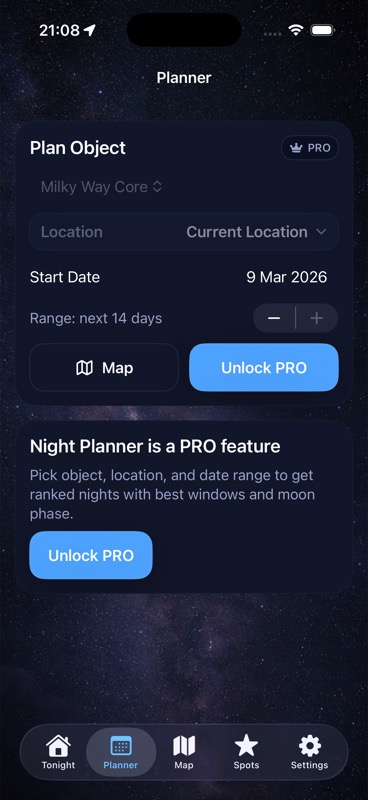
Use DarkScout to compare Moon and cloud conditions, saved spots, and a target's useful window before scheduling camera work. Keep the calibration procedure in your camera and processing workflow. The Planner image above illustrates sky planning.
The current App Store listing describes the free iPhone app, requiring iOS 26 or later.
Find the window before filling the schedule.
Compare the target, Moon, clouds, and observing spot, then build the camera plan around that window.
Get DarkScout for iPhone All features free · iOS 26 or laterSources and further reading
Camera, software, and public app sources checked November 4, 2026. Follow the instructions for your actual setup; no field-test result is claimed here.
- Siril: Calibration — dark matching and master files.
- DeepSkyStacker: FAQ — frame roles and capture context.
- ZWO: What Is Amp Glow? — glow-specific calibration checks.
- Nikon Z6III: Long Exposure NR — model-specific processing time.
- Siril: Path Parsing — header fields and library naming.