
Compare forecast air temperature with dew point through the hours you plan to shoot. A narrowing gap is a reason to prepare and check exposed optics. It cannot tell you exactly when a lens will mist: condensation depends on the temperature of the surface and the air next to it, as the Met Office's explanation of dew describes.
Air temperature and optical-surface temperature differ
Dew point is the temperature at which water vapor can condense. The important comparison for a wet lens is its surface temperature against the dew point of the adjacent air. Your weather forecast's air temperature is not a measurement of the glass. An NWS-hosted surface-cooling tutorial explains how a surface can become colder than the reported air temperature.
Exposed optics lose heat through radiation. In its telescope dew-shield guide, Celestron explains how a shield reduces radiative cooling, helping the optical surface remain above the dew point for longer. A forecast air temperature above dew point therefore does not prove that the optical surface will stay dry.
Use the forecast to prepare for the evening, then check what is happening at the equipment. A weather station, a forecast grid point, and the air beside your optic are different observations or estimates. Record the source and location so you know what you are comparing.
Why humidity alone is not enough
The U.S. National Weather Service explains that relative humidity compares water vapor with saturation at the current air temperature. With the same moisture content, cooling the air raises its relative humidity. That is why a percentage viewed without temperature and timing tells only part of the story.
For planning, read air temperature and dew point together. Neither a humidity percentage nor an air–dew-point difference provides a universal dry-lens cutoff. Your exposed surface, local conditions, and equipment protection still matter.
Read the hourly trend
- Choose the location and session hours. Include setup and packing, when equipment may still be exposed.
- Use matching forecast entries. Take air temperature and dew point from the same source, place, time, and temperature scale. Record when the forecast was updated.
- Subtract dew point from air temperature. Keep both original values beside the difference so you can see what is changing.
- Look across the session. The difference can narrow as air cools, dew point rises, or both change. Check the available hourly entries rather than assuming the first hour represents the night.
- Add context and a response. Note cloud, wind, site exposure, and the protection you actually have. Decide how you will check the optics and what will make you pause.
The Met Office notes that dew commonly forms in calm weather. This is useful context for preparation, not a wind-speed threshold for keeping a particular lens dry. For the broader sky forecast, see our cloud-planning guide.
A hypothetical temperature example
These are invented forecast values for one imagined evening. The times are local, and both temperatures use Celsius. They do not describe a real location, observation, or predicted onset of dew.
| Time | Air | Dew point | Difference |
|---|---|---|---|
| 20:00 | 12°C | 9°C | 12 − 9 = 3°C |
| 22:00 | 10°C | 9°C | 10 − 9 = 1°C |
The air temperature falls while dew point stays the same, so the difference narrows from 3°C to 1°C. Those numbers are arithmetic results, not risk categories. They do not establish that 20:00 is dry, that 22:00 is wet, or that condensation begins somewhere between them. The table contains no measurement of the optical surface.
Prepare your equipment's appropriate dew protection before leaving, include optics checks in the session, and keep a shorter-session fallback available. Confirm the actual glass and a fresh frame before extending the capture. The forecast helps you plan that response; it does not supply a countdown.
For a real evening, fill in the available intervening hours too. If you choose to shorten the outing, fit that choice around the subject's useful window and your return-time budget.
Turn the forecast into a decision
| What you find | What to plan or do |
|---|---|
| The forecast air–dew-point gap narrows | Review the gear's protection and your ability to inspect it. Keep a fallback or earlier finish available. |
| The forecast gap stays positive | Still check exposed optics. The forecast does not measure their temperature or confirm a dry surface. |
| Moisture is visible on an optical surface | Pause capture and follow that equipment manufacturer's drying or cleaning procedure. Check a new frame before resuming. |
| Frames become soft or show halos | Inspect for moisture and also check focus, movement, thin cloud, and local light. The image alone does not diagnose dew. |
Use changing conditions and your image review as reasons to reassess. There is no inspection interval that fits every setup and night. If you cannot keep the optics clear with your available equipment, change the plan or finish the session.
Prepare for your equipment
Telescopes and camera lenses
For a telescope, use a compatible dew shield as its manufacturer directs. Celestron's guidance also explains that a shield can be insufficient over a long night. It reduces a source of cooling; it does not remove the need to check conditions.
Check the instructions for any dew-control accessories you already use, including their fit, power requirements, and operation. A camera lens needs its own manufacturer's handling and cleaning guidance. Treat a forecast temperature difference as planning context, rather than an accessory setting.
iPhone
Apple's handling instructions say to avoid dramatic changes in temperature or humidity. For exterior liquid, Apple directs users to a soft, lint-free cloth and warns against compressed air or an external heat source for drying. Follow its drying and charging instructions if the phone gets wet.
Keep those instructions available before going out. If moisture remains or appears inside the camera assembly, stop and use the manufacturer's support guidance. The iPhone night-sky photography guide covers the separate tasks of stable support, focus, and test frames.
Copy this planning worksheet
Save these fields in a note. Keep forecast values and what you actually observe in separate columns or sections.
- Date, observing location, and local time zone.
- Forecast source and update time.
- Setup, shooting, and packing window.
- For each relevant hour: air temperature, dew point, their difference, and the temperature scale.
- Context: forecast wind and cloud, site exposure, and which optical surfaces will be exposed.
- Equipment plan: manufacturer-approved protection, handling instructions, and a way to inspect recent frames.
- Pause or finish decision: what you will do if moisture appears or image quality changes.
- Field record: time, visible moisture, image changes, and the response taken. Record lens temperature only if it was actually measured.
Use the field checklist
- Before leaving: read the temperature trend across the planned hours and prepare protection appropriate to the equipment.
- On arrival: check the actual conditions, establish a clear test frame, and note the initial state of the exposed optics.
- During capture: inspect recent frames and the optics as conditions change or concerns arise. Keep checks practical for your setup.
- If quality changes: pause, inspect, and follow the equipment's care instructions. Confirm a fresh frame before starting another sequence.
- When packing: follow the manufacturer's guidance for damp equipment and temperature transitions; record what happened for the next visit.
Where DarkScout fits
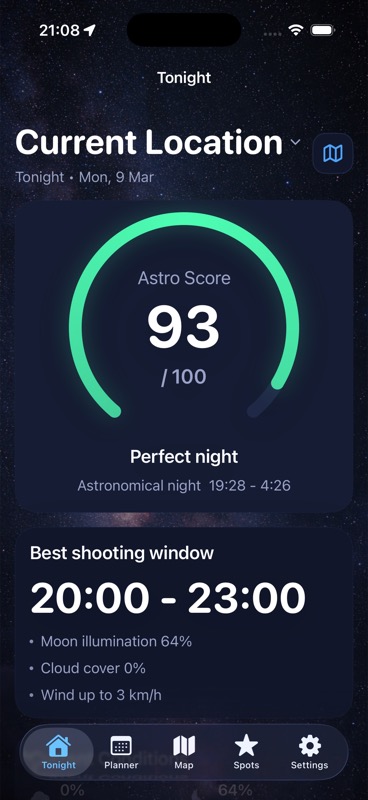
Use DarkScout's Tonight view, Moon and cloud information, and saved observing spots to choose a night and location. For this worksheet, obtain hourly dew point from a weather source that explicitly provides it, then compare it with the matching air-temperature forecast.
The current App Store listing confirms all features are free and the app requires iOS 26 or later. DarkScout helps with the observing plan; the forecast worksheet and checks at the optics remain part of your preparation.
Choose your night and your spot.
Bring clouds, Moon conditions, and saved observing locations into one plan.
Get DarkScout for iPhone All features free · iOS 26 or laterSources and further reading
Published October 17, 2026. Weather, equipment-care, and product sources checked for this guide. The numerical example is hypothetical and is not a lens-temperature measurement or field test.