
Plan a meridian flip as a complete interruption inside the target's useful window. Establish the timing and limits from your own mount and capture workflow, reserve the pause through a checked return to imaging, and compare the capture blocks on either side. A target being well placed does not make every minute available to the camera.
What changes during a meridian flip?
N.I.N.A.'s meridian-flip guide describes the operation for German equatorial mounts: the telescope changes to the other side of the mount as tracking proceeds across the meridian. Equipment configurations differ, so the point at which the change is needed belongs to the setup's documented operation. This is a session-planning guide, not a set of mount-control settings.
Keep the sky window and rig plan separate
First identify the interval you want to use, with the subject, place, date, and stop time. The deep-sky target-window guide helps organize the sky constraints. Put the equipment interruption beside that interval rather than treating the whole chart as continuous capture time.
The iOptron GEM28 manual, section 5.4.8, separately describes a position limit and the behavior selected there: stop tracking or perform a flip. That is one model's documentation, not a transferable prescription. Record your own mount's behavior; do not copy another model's limits or change protections to stretch the plan.
Keep a shorter or different-target option ready. If the intended block cannot accommodate the documented workflow, compare that alternative before committing the night.
Complete a planning checklist for this setup
StellarMate's Ekos documentation describes coordination between capture, guiding, tracking, and the mount. It also stresses consistent time and location information and understanding the mount's limitations. Those are reasons to identify the actual workflow, not assume that a generic planner controls it.
- Identify the rig: mount, controller, capture software, and versions used for this session.
- Find the governing instructions: retain the relevant manual and the documented limit/behavior information.
- Check the shared context: confirm the date, time convention, and observing location used by the connected systems.
- Review the physical setup: follow its clearance and cable checks, including the path through the planned operation.
- Establish evidence: use records from a verified workflow on this configuration; leave untested assumptions marked as such.
StellarMate recommends practicing the process in daylight, when cable snags are easier to see. Use the applicable equipment instructions for that test. A prior success with a different configuration is not a timing measurement for the current one.
Budget the pause through a checked return to imaging
N.I.N.A.'s imaging-options documentation includes settling time, optional autofocus, and recentering by plate solving when that option is enabled and a solver is configured. Include the stages your workflow actually uses; a completed movement alone is not the endpoint of the capture budget.
The meridian-flip guide also shows configurations where an exposure no longer fits before the scheduled operation and the sequence waits. Account for that waiting in the interruption rather than counting only the mount movement.
Define your record's endpoints: the end of the last accepted pre-flip capture and the start of the first accepted post-flip capture. Keep the intervening stages and any retries with those times. Check the returned framing and image quality through your capture workflow; the focus-verification guide can support the image check.
A hypothetical session-time budget
These numbers are invented for arithmetic, not measured from a rig or recommended as a flip duration. Suppose a planning interval contains 120 minutes and you assign a placeholder 20-minute reserve for the complete interruption:
That leaves an upper bound of 100 minutes before other overheads. It does not promise 100 minutes of accepted exposure time.
Place the reserved interruption on the timeline, then inspect each remaining block. A total alone does not tell you whether the intended sequence fits before the interruption or after recovery. Record setup and any other pauses separately, and avoid subtracting the same pause twice.
Replace the placeholder with evidence from your own verified workflow. If recovery takes longer, or the useful interval closes earlier, revise the remaining plan. Do not expand an equipment limit to preserve the example's total.
Choose a session that fits the evidence
| What the plan shows | Next useful action |
|---|---|
| The mount behavior or relevant limit is unknown | Resolve it from the applicable documentation before planning across it. |
| The interruption falls inside the desired window | Mark the reserve and compare the capture blocks on both sides. |
| Only one block meets the session goal | Compare a shorter session or another target. |
| The return to imaging remains unverified | Keep later capture time provisional and follow the rig's documented recovery process. |
| Actual timings differ from the allowance | Record the difference and update the remaining budget. |
Copy the meridian-flip session record
- Session: private spot reference, subject, full date, zone or UTC, and useful interval.
- Configuration: mount/controller/software versions and the applicable documentation.
- Rig plan: documented behavior, planned interruption, and unresolved checks.
- Budget: pre-flip block, complete reserve, post-flip block, and other overheads.
- Evidence: accepted-frame identifiers, endpoint times, stages completed, and retries.
- Decision: remaining capture plan, alternative, and the next verification step.
Keep planned allowances and observed durations in separate fields. Use the time-zone guide if the record crosses midnight or combines clocks.
Use DarkScout for the sky side of the plan
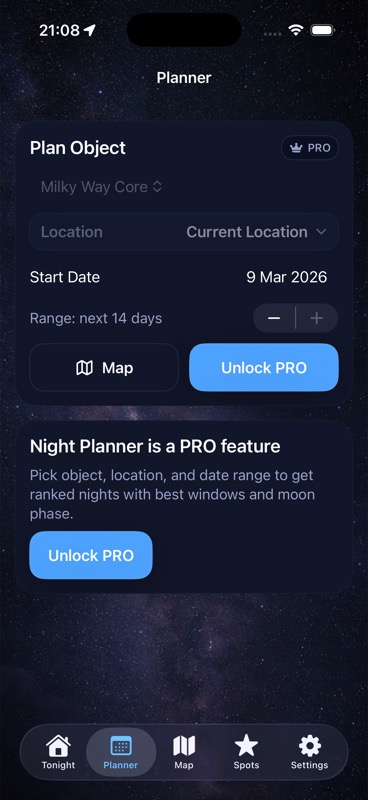
Compare DarkScout's available target-window, Moon, cloud, and observing-spot context with the rig plan you keep separately. Its Planner screen above illustrates sky planning; it does not certify a continuous capture interval or operate a meridian flip.
The current App Store listing offers the free iPhone app, requiring iOS 26 or later.
Find the sky window for your rig plan.
Compare the target, Moon, clouds, and observing spot before budgeting the capture.
Get DarkScout for iPhone All features free · iOS 26 or laterSources and further reading
Primary equipment/software documentation and public app information checked November 8, 2026. No rig test or measured flip duration is claimed.